Neck pain, or cervicalgia, is a common problem. It can last from a few days to years. I’ve had it too, and it really affects daily life.
Neck pain comes from many things. This includes physical strain, poor posture, and stress. Today, looking at screens a lot also adds to it.
Knowing why your neck hurts is the first step to feeling better. You can change your workspace, take breaks, or relax. These steps can help stop neck pain from lasting too long.
Key Takeaways
- Neck pain can be caused by a range of factors, including physical strain and mental stress.
- Poor posture and screen fatigue are significant contributors to neck pain.
- Understanding the causes is key to finding relief.
- Adjusting your workspace and taking regular breaks can help alleviate neck pain.
- Relaxation techniques can also play a role in preventing chronic neck pain.
My Neck Pain Journey
Looking back, my neck pain started small. It grew over time. It got worse when I worked from home a lot.
When I First Noticed the Problem
I noticed it when I worked long hours at my desk. My desk posture was bad, hurting my neck. At first, I thought it was just tiredness.
How It Affected My Daily Life
The neck pain followed me everywhere. It made simple things hard. My health started to suffer. I knew I had to change.

Common Causes of Neck Pain
Knowing why we get neck pain is key to feeling better. Neck pain comes from many things. This includes our daily habits, work setup, and health.
Poor Desk Posture and Its Effects
Poor desk posture is a big reason for neck pain. Sitting wrong can hurt our muscles and cause pain. Making sure our workspace is right can help avoid neck pain.
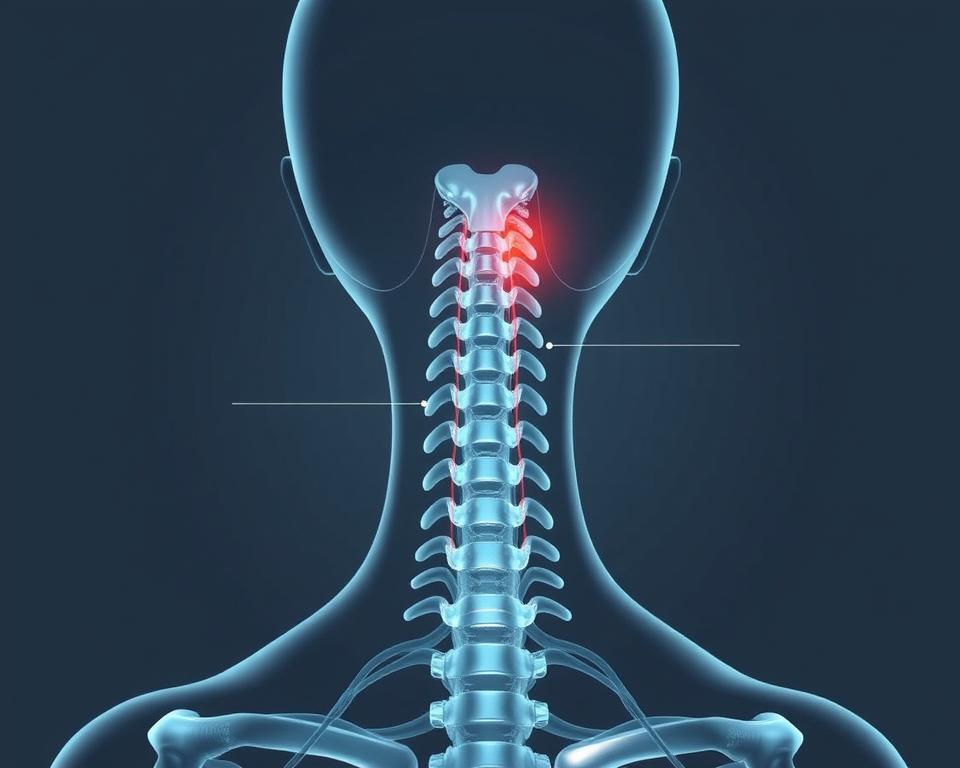
Screen Fatigue and Digital Device Strain
Digital devices have brought on “tech neck,” a kind of injury. Looking at screens for too long hurts our neck muscles. Taking breaks and using devices right can help.
Stress-Related Neck Tension
Stress and tension can make our neck hurt. When stressed, we tighten up, and this tightness goes to our neck and shoulders. Doing things like meditation or deep breathing can help.
| Cause | Effect | Prevention |
|---|---|---|
| Poor Desk Posture | Neck Strain | Ergonomic Workspace Setup |
| Screen Fatigue | Repetitive Stress Injury | Regular Breaks, Proper Device Positioning |
| Stress-Related Tension | Neck and Shoulder Tension | Stress-Reduction Techniques |
By knowing why we get neck pain, we can stop it. This makes our life better.
The Connection Between Posture and Pain
It’s important to know how posture and pain are connected. Good posture helps ease neck pain. Dr. Jane Smith said, “Good posture is the key to a pain-free neck.”
Our daily habits can affect our posture. For example, forward head posture can hurt muscles and cause pain.
How Forward Head Posture Strains Your Muscles
Forward head posture happens when we lean forward too much. This is often because of screen time or bad desk setups. It strains neck and upper back muscles, causing pain.
The American Chiropractic Association says, “Forward head posture can lead to neck pain and headaches.”

The Ripple Effect Through Your Spine and Shoulders
The pain from forward head posture doesn’t just stop at the neck. It can spread to the spine and shoulders, causing more pain. Being mindful of our posture can help ease neck pain and make us feel better.
“By changing our daily habits, we can lower the risk of neck pain and feel better overall,” says Posture Expert.
Simple Posture Fixes That Worked for Me
I had neck pain and found simple fixes. These changes made my workspace better and eased my pain. It’s easy to do and really helps.
The 90-90-90 Rule for Desk Positioning
The 90-90-90 rule helps keep your body right. It means your elbows, hips, and knees should be at 90 degrees. This keeps your spine straight and eases neck and shoulder pain.
To follow this, make sure your feet are flat on the floor or on a footrest. Also, your desk should let your elbows be at 90 degrees when you type.
Eye-Level Monitor Setup Techniques
Putting my monitor at eye level was a big change. It stops me from tilting my head, which hurts my neck. To do this, place your monitor right in front of you, about an arm’s length away.
Make sure the top of the screen is at eye level or a bit below. This helps you sit right and keeps your neck from getting sore.
Posture Check Alarms and Reminders
I use alarms to remind me to sit right. Setting reminders to check my posture helps a lot. When it goes off, I adjust my position and stretch.
This simple habit has really helped my neck pain. I think you should try it too. It can make you feel better and work better.
Quick Relief Techniques for Neck Tension
I found some fast ways to ease neck tension. These methods are lifesavers on stressful days. They help me feel better and stop the pain from getting worse.
5-Minute Desk Stretches for Immediate Relief
Desk stretches are great for neck tension. I start with chin tucks. I stand or sit up straight and slowly bring my chin to my chest. I hold it for a few seconds before I let go.
I also do shoulder rolls. I tilt my head to the side, bringing my ear to my shoulder. Then, I switch sides. These 5-minute desk stretches are quick and easy. They give me immediate relief.
Self-Massage Points for Neck Tension Relief
Self-massage is also helpful. I massage the base of my neck and the tops of my shoulders. I use my fingertips in circular motions. This helps loosen the muscles and gets the blood flowing better.
When to Use Heat vs. Cold Therapy
Heat and cold therapy both have their uses. I use heat therapy to relax my muscles and improve blood flow. I do this after a long day.
For cold therapy, I use an ice pack. It helps reduce swelling and dulls the pain. I use it after working out or when I feel strain coming on.
| Therapy Type | Benefits | When to Use |
|---|---|---|
| Heat Therapy | Relaxes muscles, increases blood flow | After a long day, for chronic pain |
| Cold Therapy | Reduces inflammation, numbs pain | After a workout, for acute injuries |
Work From Home Ergonomics Essentials
My journey to a pain-free neck started with simple changes. I made my home office more ergonomic. This was key for my comfort and work.
Creating a Neck-Friendly Home Office Setup
I began by adjusting my home office. Holding my phone up to eye level helped a lot. It stopped me from straining my neck.
Keeping my head in line with my body also helped. This reduced muscle strain a lot.
Setting up my workspace for good posture was important. I placed my monitor at eye level. I kept my keyboard and mouse close. And my chair was at the right height.
Budget-Friendly Solutions for Limited Spaces
Not everyone has a big home office. But, there are affordable solutions for small spaces. Using a laptop stand or books to lift your monitor helps a lot.
You can also use things like a cardboard box as a monitor riser. It’s a cheap and creative way to improve your setup.
| Ergonomic Tip | Budget-Friendly Solution |
|---|---|
| Elevate Your Monitor | Use a laptop stand or stack books |
| Improve Posture | Use a supportive chair or backrest |
| Reduce Eye Strain | Adjust your monitor’s brightness and position |
Movement Breaks and Position Changes
Regular breaks to move and stretch were key. I stood up, stretched my arms, and did neck rolls every hour. Changing positions often helps avoid muscle fatigue.
By following these tips, I greatly reduced my neck pain. My overall well-being improved a lot.
When to Seek Professional Help
Knowing when to get help for neck pain is key to feeling better. Some neck pain goes away with rest and care. But, if the pain doesn’t stop or is very bad, you need to see a doctor.
If neck pain stops you from doing daily things or sleeping, it’s time to get help. For example, after a car accident or injury, you need special care. You can find more info in self-care advice for after a car accident or injury.
Red Flags That Shouldn’t Be Ignored
Some symptoms with neck pain are serious and need quick doctor visits. These include:
- Severe pain that doesn’t get better with rest
- Numbness, tingling, or weakness in the arms or legs
- Difficulty walking or staying balanced
- Loss of bladder or bowel control
Which Specialists Can Best Address Your Neck Pain
Many specialists can help with neck pain, depending on the cause. These include:
- Orthopedic specialists or neurologists for musculoskeletal and nervous system issues.
- Physical therapists for exercises and stretches to improve strength and mobility.
- Chiropractors for spinal manipulation and adjustments.
Talking to your primary care doctor can help find the right specialist for you.
Conclusion: My Journey to a Pain-Free Neck
I fixed my posture and took breaks to stretch. This helped me get rid of neck pain. It took time, but it worked.
Changing my daily habits helped a lot. I follow the 90-90-90 rule for my desk. I also do 5-minute stretches at my desk.
These small steps improved my posture and lessened neck pain. I want to help others do the same.
By sharing my story, I hope to help you. With the right steps and effort, you can have a pain-free neck. Enjoy a healthier, more comfortable life.
Leave a Reply